The easiest way I found to cheat in Heroes of Hammerwatch 2 is to modify the assets.bin file. However, doing this causes the game’s anti-cheat to trigger and close the game with a warning. Below I show you how to defeat the anti-cheat.
Here’s a high-level plan:
- Modify the assets.bin file to change merchant behavior
- Bypass game anti-cheat with X64DBG by patching instructions
- Enjoy unlimited resources
First, make a backup of assets.bin, which is located in the folder SteamLibrary\steamapps\common\Heroes of Hammerwatch 2\res.
Open assets.bin with a HEX editor like ImHex, and do a search for “material_trader”
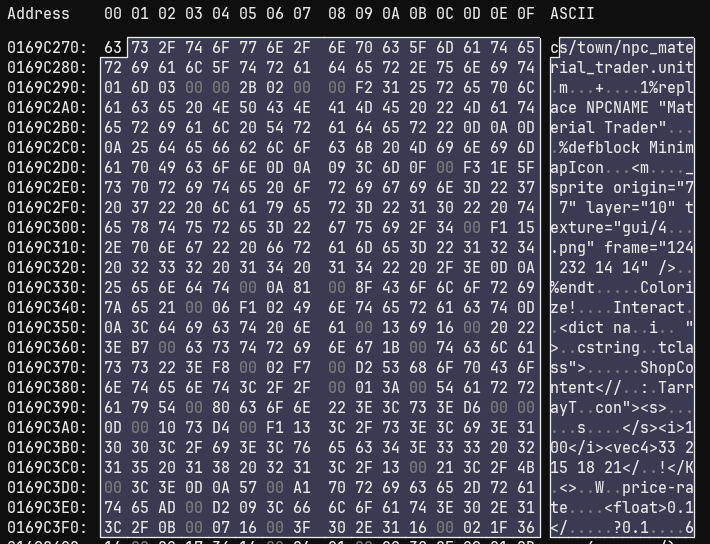
Scroll down to where you see <float> and modify the two decimal values to both me 0.1. Mine were originally 1.0 and 1.8.
Now we need to patch the game so that it doesn’t exit on detecting the file has been modified.
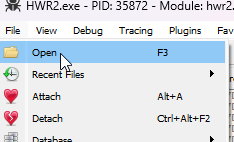
Launch the game with a debugger like X64DBG and it will pause the EXE at the first stage. Below I use x64DBG and just browse to HWR2.exe with the Open menu.
Right click anywhere and go into Search for | All Modules | Pattern
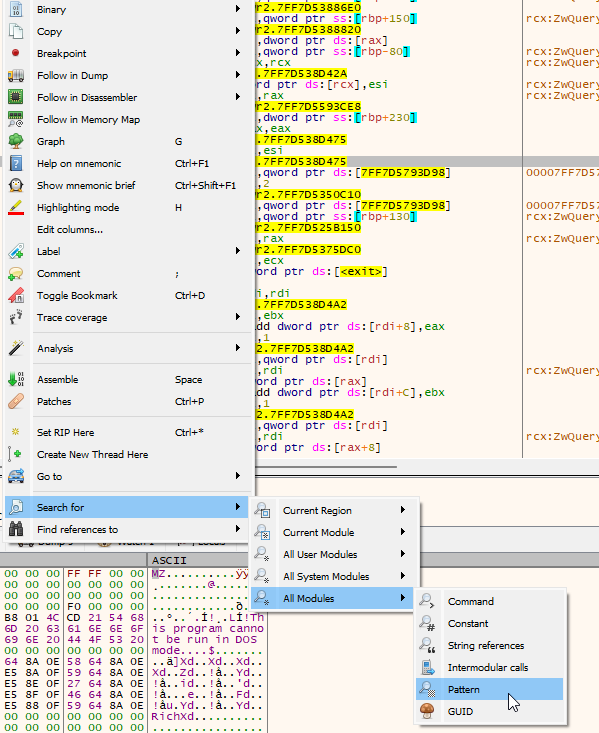
Paste in this HEX pattern 74 35 48 8d 15 ?? ?? ?? ?? b9 02
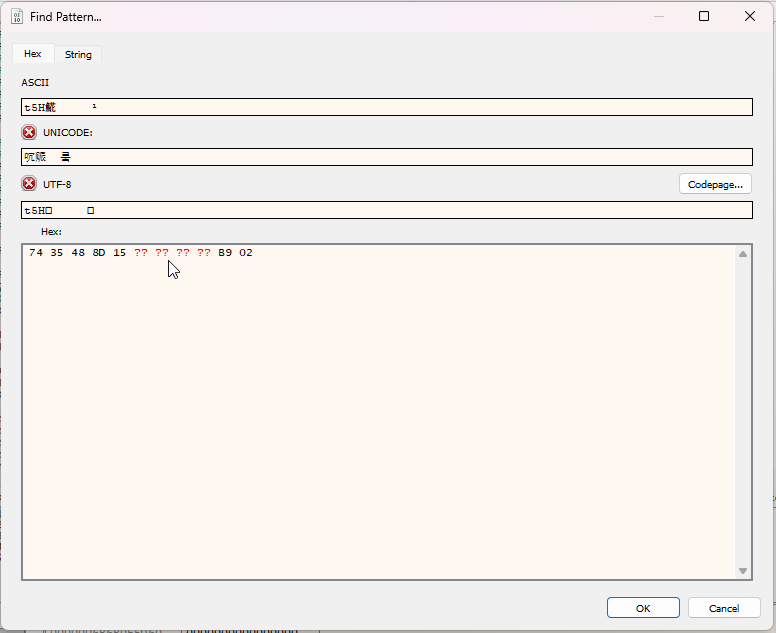
Double click the pattern found
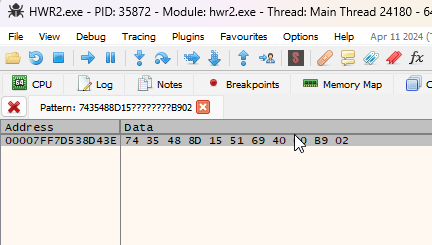
Now this is where the anti-cheat function is
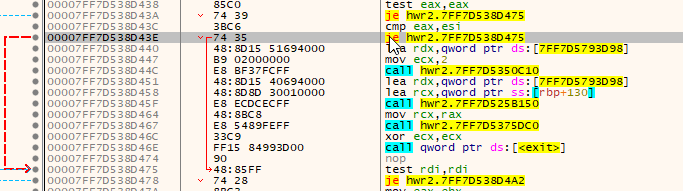
Change the first instruction from a JZ/JE to just a static JMP by right-clicking | Assemble | Modify je to jmp
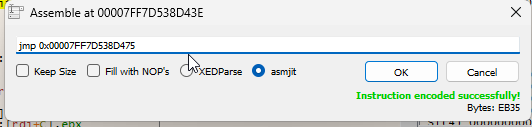
Now it looks like this
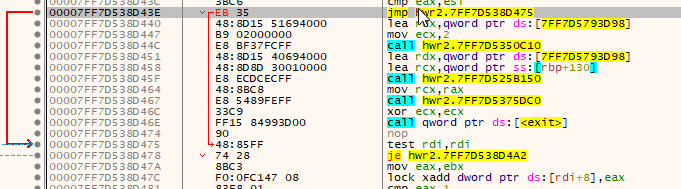
Congrats, you’ve now defeated the anti-tampering built into the game.
You can also permanently modify the EXE so that you don’t need to do this on every launch, but I would not bother with that. That menu is called Patches in X64DBG.
Now you can continue pressing run at the top of X64DBG until your game gets to the loading screen
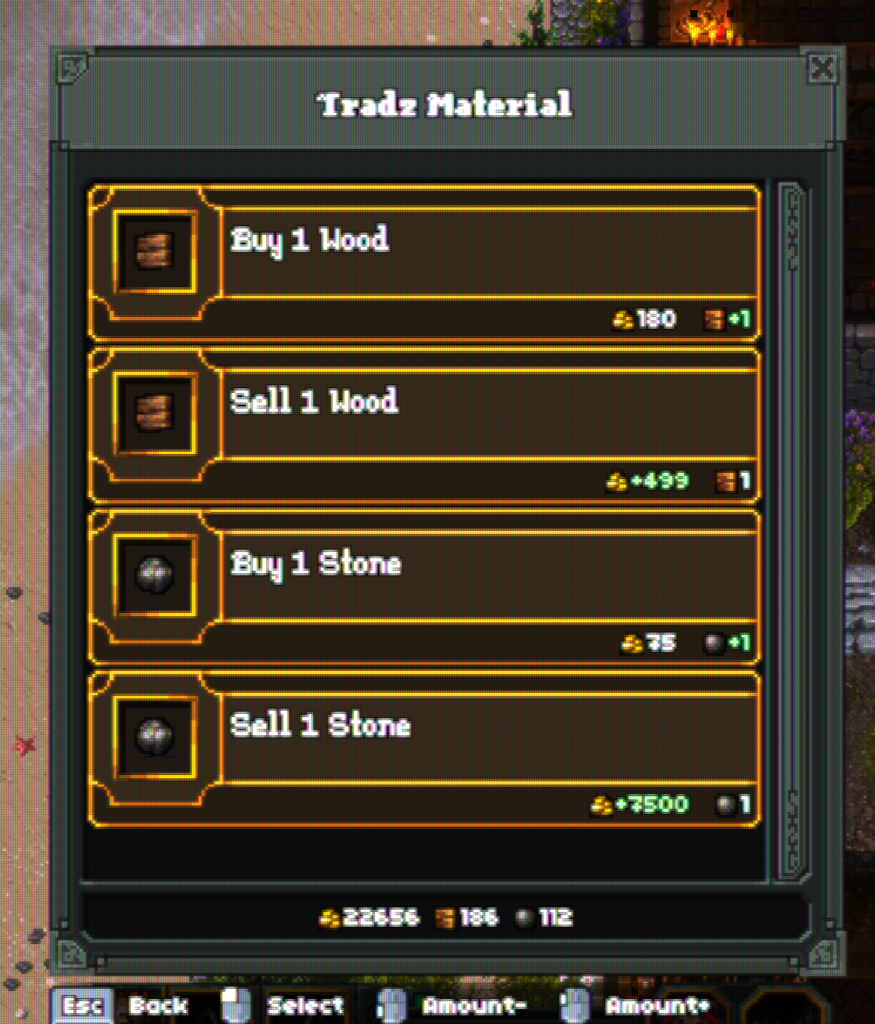
So what did all of this do for us? Well, now you can go to the material trader (left most side of town by the water), and you can buy stone for 75g and sell it for 7500g.